Start with what
was said.
The patient brings a home log. The clinician takes a separate reading in the office.
Encounter reviewPrepared sample
Blood pressure check-in

Transcript from the local Scribe workspace
AI medical scribe
Medicus drafts a SOAP note from the visit. Check the transcript, edit the draft, and export.
See the scribeInside the scribe
Follow a fictional blood pressure check-in from the first words to the clinician’s edit.
The patient brings a home log. The clinician takes a separate reading in the office.
Visit workflow
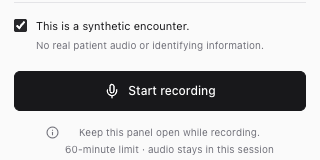
Start a scripted visit in the Chrome extension. Confirm synthetic use and enable the microphone.

Keep the panel open while recording. Stop when the scripted conversation ends.
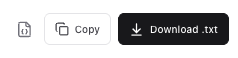
Compare the transcript with the draft, edit the fields, then copy or download the note.
Review and export
Compare an office measurement with the words in the transcript. Try editing the fictional plan, then export your version.
“Our office reading today is one hundred thirty-two over eighty-two, and pulse is seventy-six.”

Fictional text only. Edits stay in this tab.
Privacy and availability
You’re viewing a prepared example. The tour uses no microphone or AI service. Your sample edits clear when you reload.
The Chrome side panel holds the encounter in memory. Demo mode uses prepared notes. With live processing configured, audio and transcript data are sent to the selected providers.
Explore the fictional visit here. The prototype is for local testing with scripted encounters. Real-patient use and direct EHR integration are unavailable.
FAQ
The local prototype runs in a desktop Chrome side panel. You can explore this website tour on a phone or computer.
Subjective history, objective findings, assessment and plan. The prototype also flags uncertainties for review. Missing measurements stay undocumented.
The existing draft stays in place. Regenerate it from the corrected transcript or update the note fields yourself. The prototype warns you before exporting a stale draft.
Copy the note or download it as plain text or structured JSON. The export includes your edits.
No. The current prototype is for scripted encounters only. Live provider validation and clinical review are still pending.
